
How to use Ninety Six
Search, statistics, tables, filters and favourites. Eight short steps that show you exactly where everything is in the app.
Step 1
Search
- Tap the search icon in the top right corner of the screen.
- Type the name of the match, team or league you are looking for.
- Tap the result and that screen opens.
Step 2
Match statistics
- Tap the match you are interested in and its statistics open.
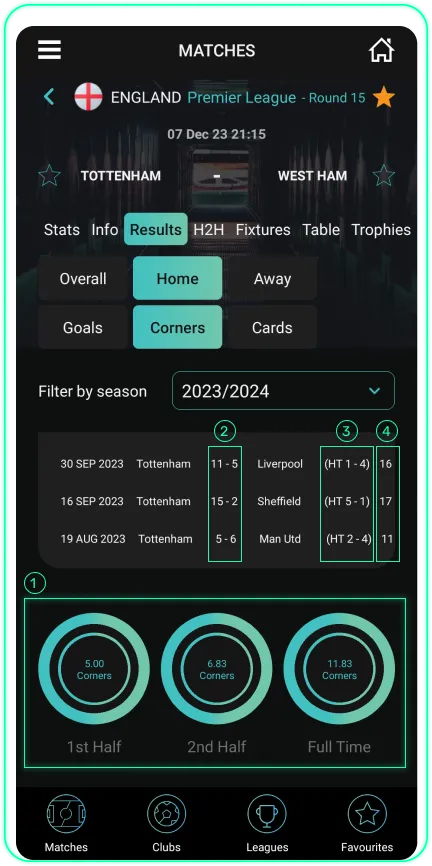
- Statistics are always split into home and away – how the home team plays at home and how the away team plays on the road, never mixed into one average.
- You see results by the number of goals, corners and cards, separately for the half and for the full match.
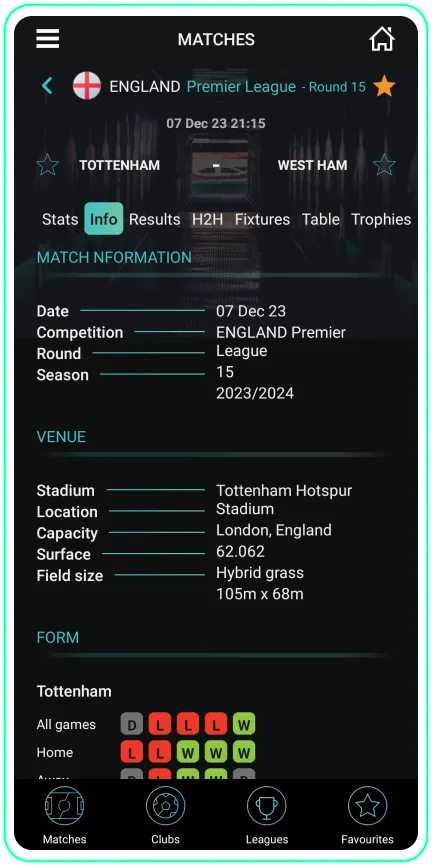
- There is also basic match information – the stadium, its capacity and the pitch surface.
- Tap any row to get a short explanation of what that indicator means.
Step 3
League table
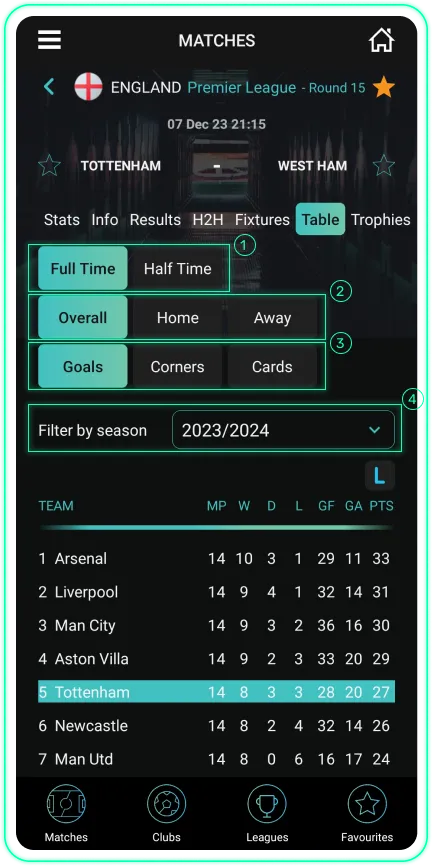
- Open the league table to see where your team stands right now.
- You see the position, points, wins, draws and losses for every team, updated after every round.
- Besides the overall table, there are separate tables for goals, corners and cards – for the half and for the full match.
Step 4
Fixtures
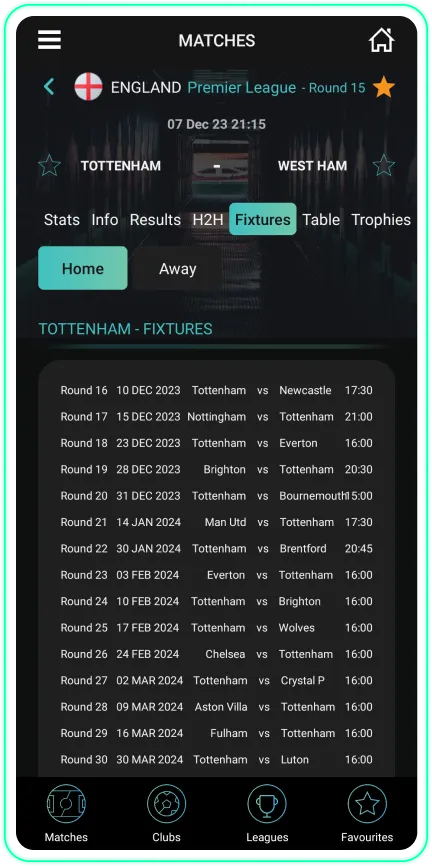
- Open the fixtures to see the upcoming matches for the league or team you follow.
- For every match you see the date, the kick-off time and where it is played.
- That way you always know in advance when your team plays next, without searching through a calendar.
Step 5
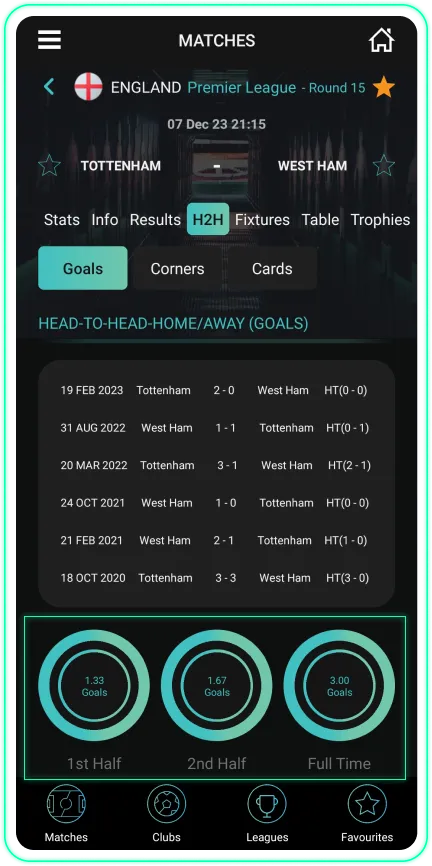
Head-to-head
- Open Head-to-head to see the history of meetings between two teams.
- Every meeting in the last 5 seasons is shown, always with the same team at home as in the match you are looking at.
- That way you see how exactly those two teams have fared against each other.
Step 6
Highest percentages
- Open "Highest percentages" and choose whether you look at matches, clubs or leagues.
- Pick one of the 1,835 possible outcomes you are interested in.
- The app shows you how often that outcome happened in the past, ranked from the highest to the lowest percentage.
- Narrow it down further by statistic, category, season or the last 10 to 60 matches, so you see exactly what interests you.
Step 7
Filters
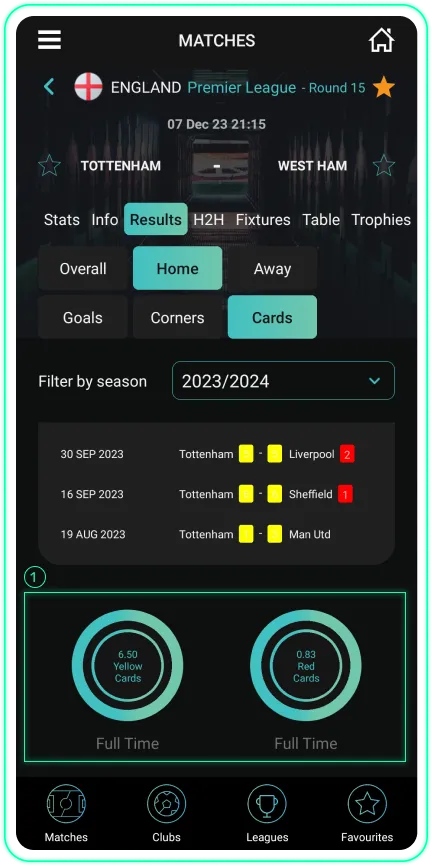
- In the Stats tab you choose one of the 17 categories you are interested in.
- Add a filter by season, or by the last 10, 20, 30, 40, 50 or 60 matches.
- Combine filters to narrow the view down to exactly what you are looking for (for example, only home matches in the last 20 rounds).
Step 8
Favourites
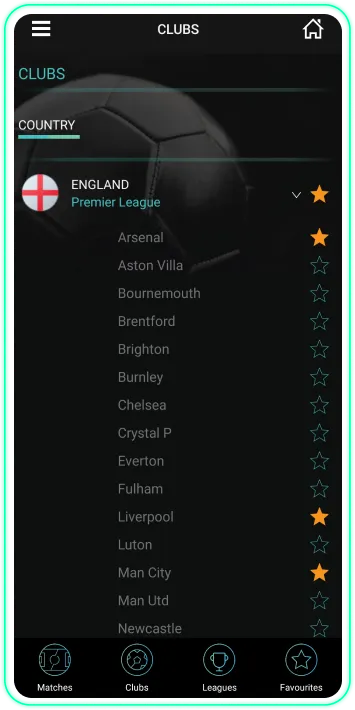
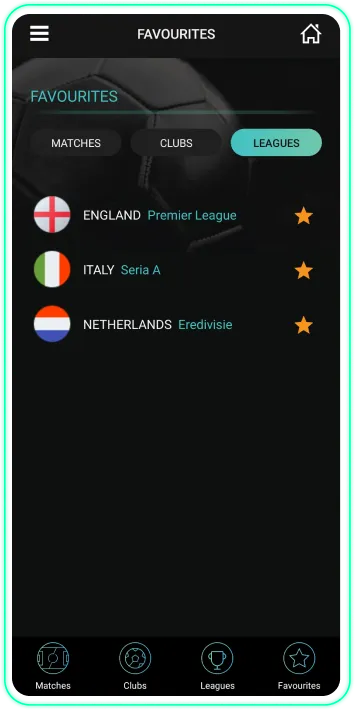
- Tap the yellow star next to a match, team or league to add it to your favourites.
- You find all your favourites in one place, through the shortcut in the bottom right corner of the screen.
- Leagues you mark as favourites automatically move to the top of the list instead of the alphabetical order.
1,835 indicators, no limits
Premium unlocks all 1,835 indicators, head-to-head, every season and every form filter.
You buy it in the app via Menu → Premium. If you have a promo code, enter it in Menu → Promo code. If you change your phone, restore the purchase with the same App Store or Google Play account you bought it with.